

Workforce Development Example: Salary Training Plan
Before I transitioned into my previous role of Talent Development Specialist, I was asked if I wanted to start working with one of the corporate teams, Program Management, to develop a salary training plan that we could standardize and duplicate for other corporate teams. The purpose initially was to get training records into Workday LMS and provide an answer for how to capture skills gaps within departments. I had previous experience for many years in Operations as a Training Coordinator, creating and managing hourly training plans.
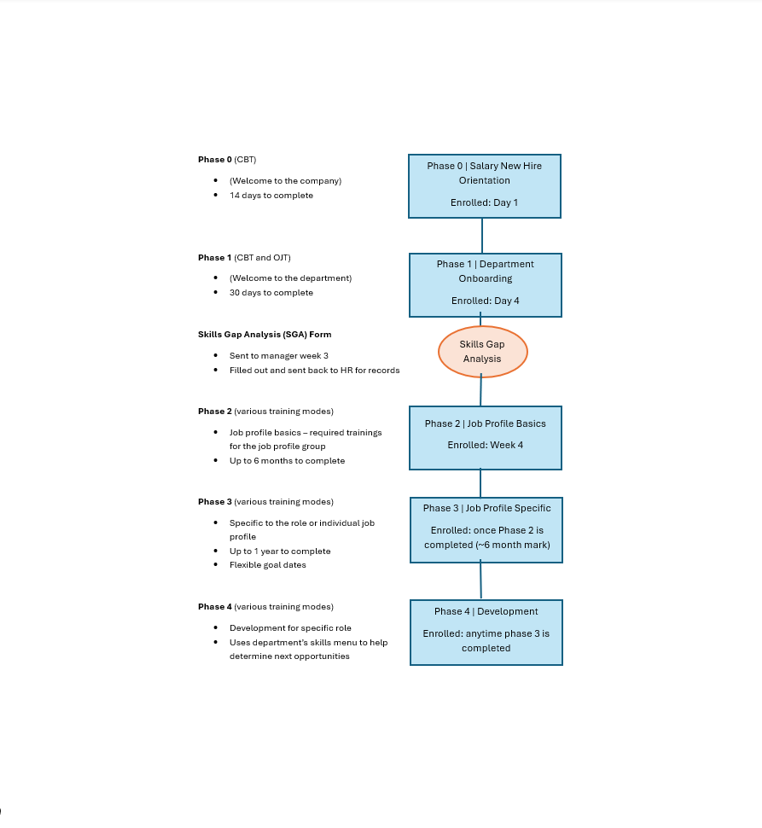
As a side project, I worked with the Program Management directors to create a plan that was all-encompassing: it captured onboarding into the department, trainings required per job profile in the first year of an employee's role and a phase that would capture ongoing development.
This plan started to gain traction as it was being seen by other engineering departments. The company was audited for their training in a couple of engineering departments and ultimately was found not compliant for having undocumented skills gaps.
I then was offered an opportunity to join the Human Resources Talent development Team to specifically work on this project full-time. As I collaborated with the Quality and Mechanical Engineering departments alongside the Program Management team, the training plan evolved to ultimately correct the non-conformance and become fully IATF compliant. We added a Skills Menu (example shown below) for each department to show required training and this menu became our platform for the plan.
Other engineering departments and even some Operations teams were starting to inquire about the training plan and wished to start work to have their own comprehensive plans. Completion rates among the teams I worked with were above 90% within the first week of deployment due to learners' excitement about the courses created, mostly in Articulate, and the delivery through our Workday LMS.
Skills Menu Example
Below is an example of a portion of a Skills Menu I created for each of 3 corporate teams as part of identifying skills gaps within the job profiles of their team members. The required trainings/skills for each job profile are identified by marking them with an 'x'. This serves several purposes:
1. To help managers identify requirements for each job profile as they hire new team members
2. Allows the manager and team member to view their job profile requirements together to identify the skills gap and set up training
3. To provide a way for team members to review development opportunities with their managers
4. To present in a quality audit (customer, 3rd party, internal) as part of a documented process for identifying skills gaps
5. To organize development of training courses and phases they should be captured in

Department Onboarding
Each department has their own onboarding CBT to welcome new hires, which is considered "Phase 1" of the training plan. These CBTs consist of tasks such as scheduling time with managers/SMEs, enrolling in other training courses and bookmarking SharePoint and Confluence training document pages for future reference.


Department-Specific Content
For each department onboarding CBT, I worked with the SMEs to include overviews of each team, their importance to their department and respective responsibilities. This information aids new employees in locating who to connect with for specific tasks and how to start networking.

Role-Specific Tasks
In the job profile specific phase, CBTs are constructed with details on how their department's teams interact specifically with their role. Below are examples of Articulate blocks for specific roles and interactions.



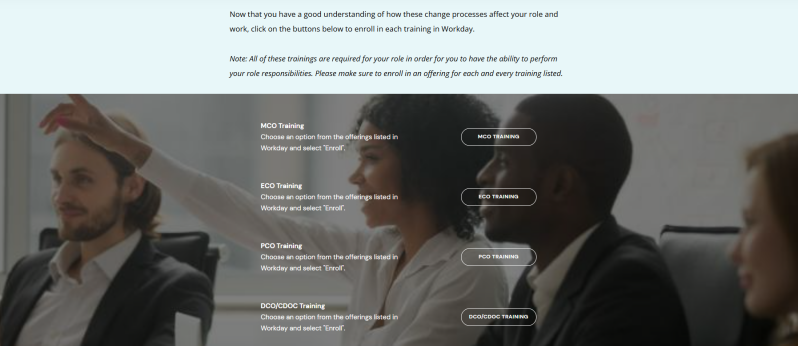
Below is an example of an Articulate block in a CBT created for engineers. Tasks are located throughout the CBT to initiate training requirements.
Create Your Own Website With Webador